Description
NOTE: this product has been discontinued to make way for an updated version coming soon. when the current stock is gone it is unlikely to be restocked, unless by special request (feel free to email me) the source is still open & available here
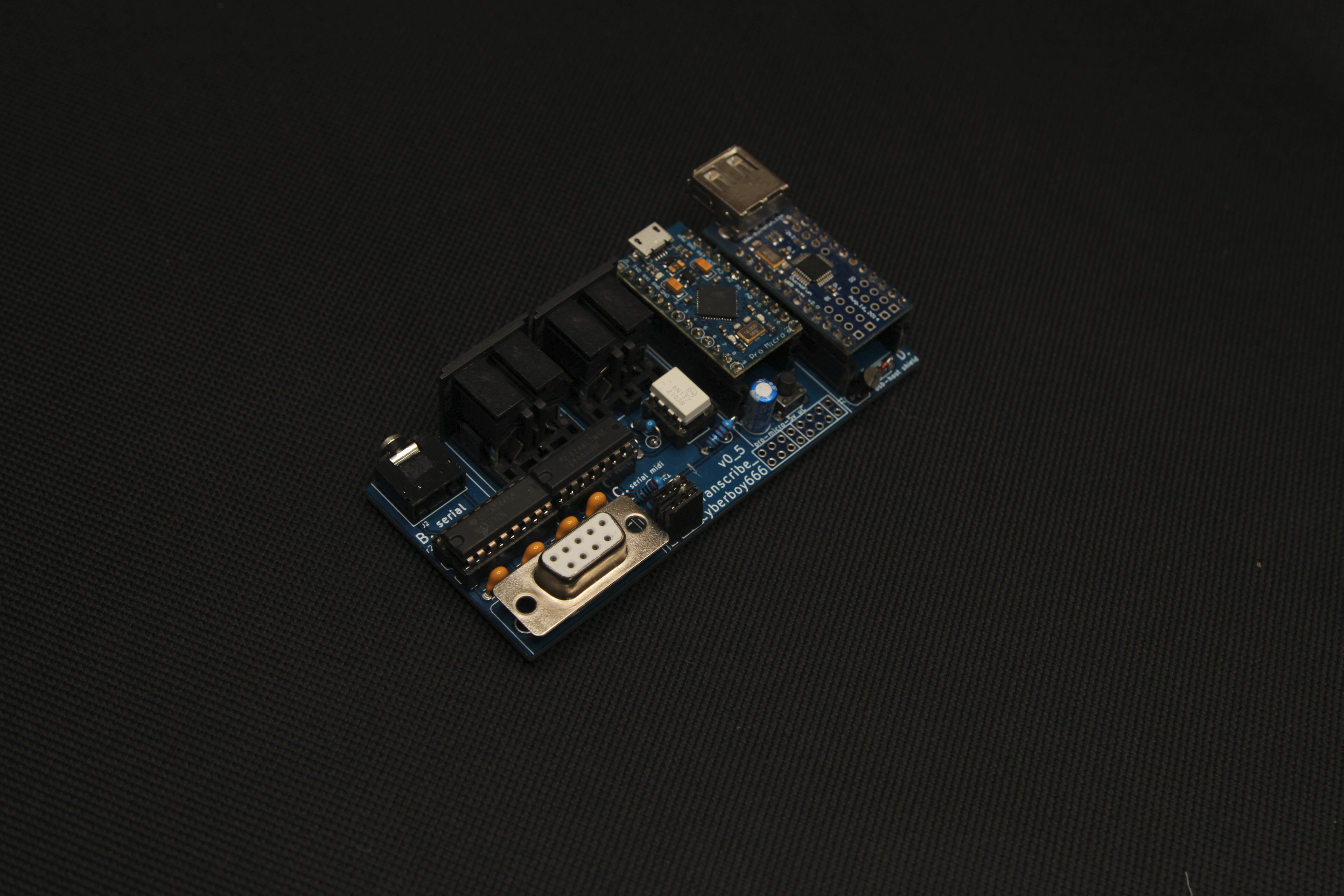
the _transcribe_ circuit is a midi to rs232 serial utility module aiming to give better integrated performance capability to older/obsolete video gear.
some old video mixers and switchers have their own serial command specifications for externally controlling them. the arduino micro-controller in _transcribe_ runs open source firmware that maps incoming generic midi messages to these specific serial commands.
this allows you to (for example) use a deluge to rhythmically sequence wipes, trails and effects on a panasonic ave55 video mixer:
NOTE: although no coding background is required for this, you will need to be comfortable following install instructions and hacking at a few lines of arduino code to customize and set up your own midi to rs232 mapping ! underscores.shop distributes the hardware only – although we maintain the open-source firmware we have limited time for one-to-one tech support.
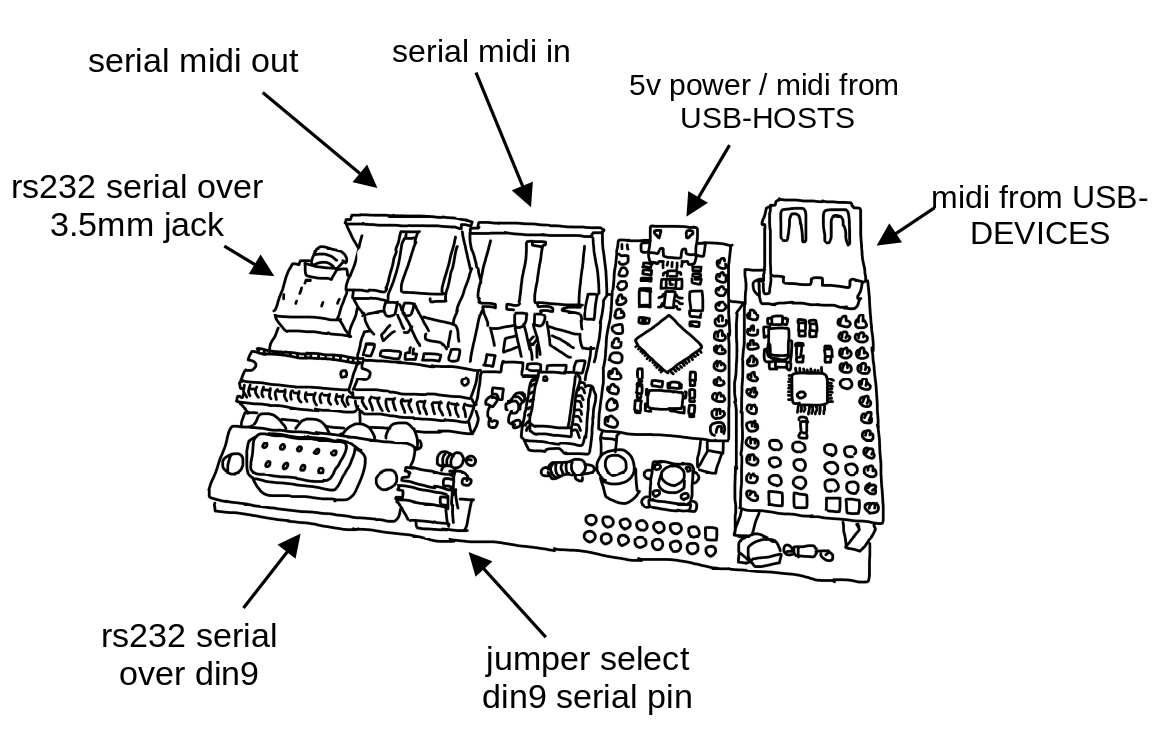
- input USB-midi from a USB-HOST such as a computer or rpi
- input serial-midi from older midi devices (din5)
- input USB-midi from a USB-DEVICE such as a korg nanokontroller2 or otherwise
- output RS232-serial commands over 3.5mm jack or dsub9 socket to control panasonic video-mixers and other devices
- all these interfaces are bi-directional and so can be modified with firmware to do other useful things (eg like a USB-DEVICE midi -> SERIAL midi converter)
So far tested and supported with:
– Panasonic ave55
– Panasonic mx30/50 (partial)
– Extron video switchers
– Kramer video switchers
although in theory any device with a rs232 serial port and specification sheet documented is possible – let me know if you have success with something new.
this project – like everything in the underscores catalog – is fully open-source hardware – find all the source plus lots more information and guides on the github repo: